Features
Everything Holded by Vexco syncs and controls
Holded by Vexco syncs companies, contacts, products, estimates, orders, waybills, invoices, payments, leads and projects between Holded and HubSpot in both directions, from any pipeline. Each flow is switched on separately, with its own fields, direction and conditions, and everything is recorded in an activity log.
Core
Customers and contacts without duplicates
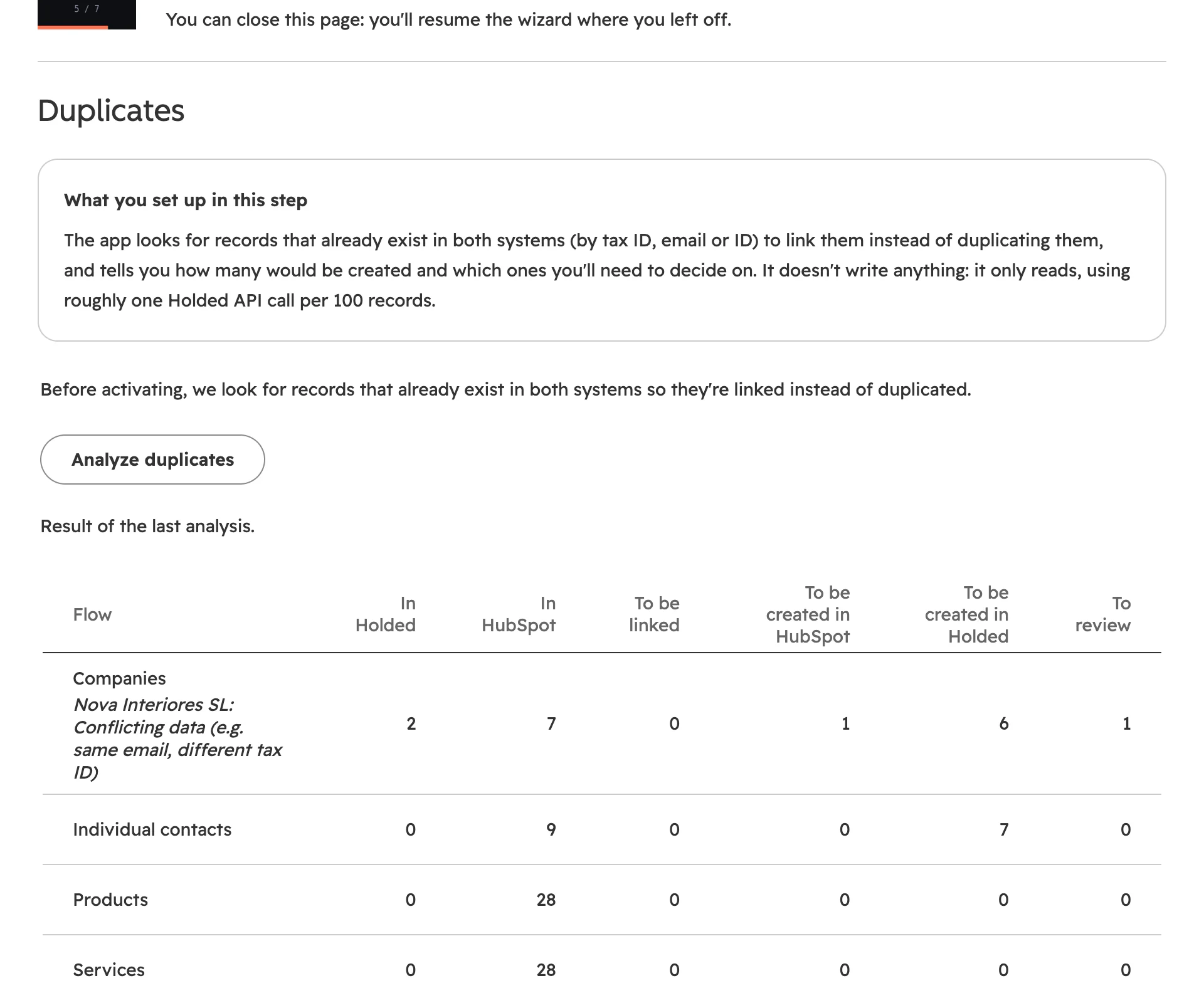
HubSpot companies and contacts are matched to Holded contacts by tax ID and by email. When the app is unsure, it doesn't decide on its own: the case goes to the review inbox.
- Matching by tax ID and emailIt looks for an existing link first, then the tax ID, then the email.
- Review inboxMerge, create new or ignore; for conflicts, keep Holded or keep HubSpot.
- Contact personsThose of Holded companies arrive as associated contacts.
- OwnersEach HubSpot owner is matched to their Holded team member by email.
- Holded actionA company and contact property to sync now, create in Holded or refresh from Holded: by hand, from a list view or from a workflow.
- Bank details protectedOnly the country and the last 4 digits of the IBAN are stored in HubSpot.
Sales · Invoicing and payments
From deal to document in Holded, in any pipeline
When a deal reaches the stage you choose, in any pipeline, the app creates the estimate, proforma, sales order, waybill or invoice in Holded with the line items, taxes, customer and the right numbering series. As a draft by default.
- Any pipelineIn Settings → Documents you pick which stages of each pipeline create the document, or “any won stage”.
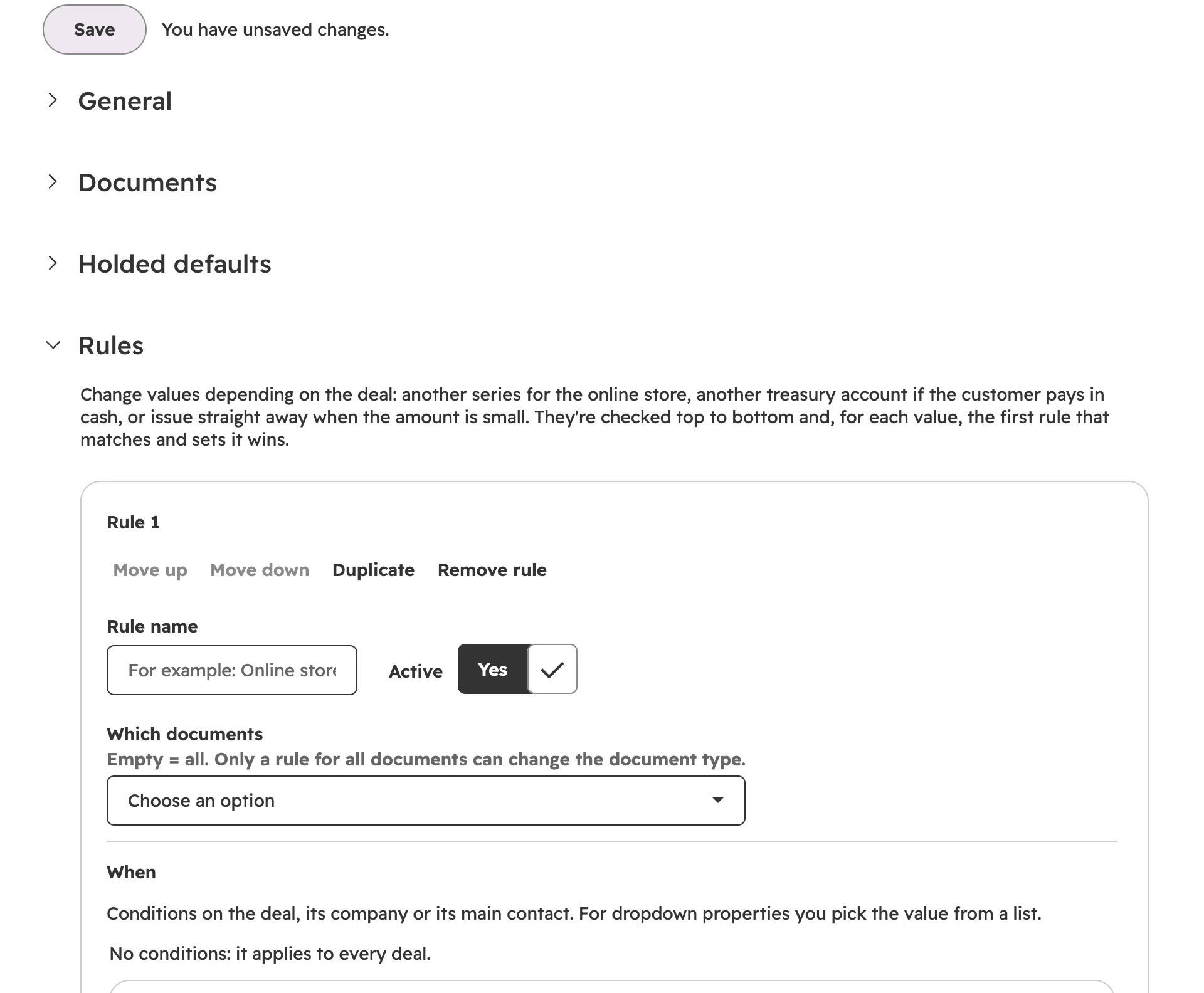
- Bill the company or the contactPer deal, with the “Bill to (Holded)” property, or with a rule.
- Waybills from the dealFrom the card, the “Holded action” property or a workflow action.
- Rules without codeA different series for the online store, a different treasury account for cash payments.
- Convert, issue and sendFrom the deal tab, with a property or from a workflow.
Taxes and Verifactu
The right taxes and no numbering surprises
The app applies each customer's tax regime and protects your numbering series, so whatever reaches Holded can be issued as it is.
- Equivalence surchargeSpain's recargo de equivalencia for retailers: each VAT line gets its surcharge (5.2%, 1.4% or 0.5%), for everyone or only for the customers a rule picks.
- IRPF withholding where it appliesBy default for Spanish businesses and self-employed professionals (individuals in Spain with a valid DNI or NIE in Holded). Private individuals with no tax ID, foreign customers and stock products are not withheld, and the activity log says why.
- Intra-EU, export and Canary IslandsThe customer's regime takes precedence over the line's standard VAT, with a warning if they don't match. Private customers in another EU country get their own country's VAT (OSS) if you've set it up in Holded.
- Built with Verifactu in mindIt won't issue with a date earlier than an already issued document in the same series, a retry never leaves a numbering gap, and an issued document is never modified: it's corrected with a credit note.
Invoicing and payments · Sales
Invoices and payments back in HubSpot
Invoices, credit notes and sales receipts issued in Holded reach HubSpot linked to their company and deal, with number, total, PDF and payment status. Payments update the deal and the company.
- Balance and overdueOutstanding, overdue and invoiced in the last 12 months on every company.
- Payments from HubSpotRecord a payment from the card or a workflow, without duplicating it.
- Properties for reportingLists such as “companies with overdue amount greater than 0”.
- Holded documents as dealsOptional: estimates, proformas, invoices and waybills made in Holded arrive as deals in the pipeline you choose, with the stage set by their status.
Catalog and inventory
Catalog and stock in HubSpot
Holded products, services and variants reach the HubSpot product library with their price, tax, SKU and barcode. Stock comes in per warehouse.
- Holded is the master for the catalogA single owner for prices avoids amounts nobody recognises.
- Stock per warehouseTotal, available, reserved and a minimum stock warning on the product card.
- Create from HubSpotWith the workflow action, linking by SKU instead of duplicating.
Cards
What happens in Holded, on every HubSpot record
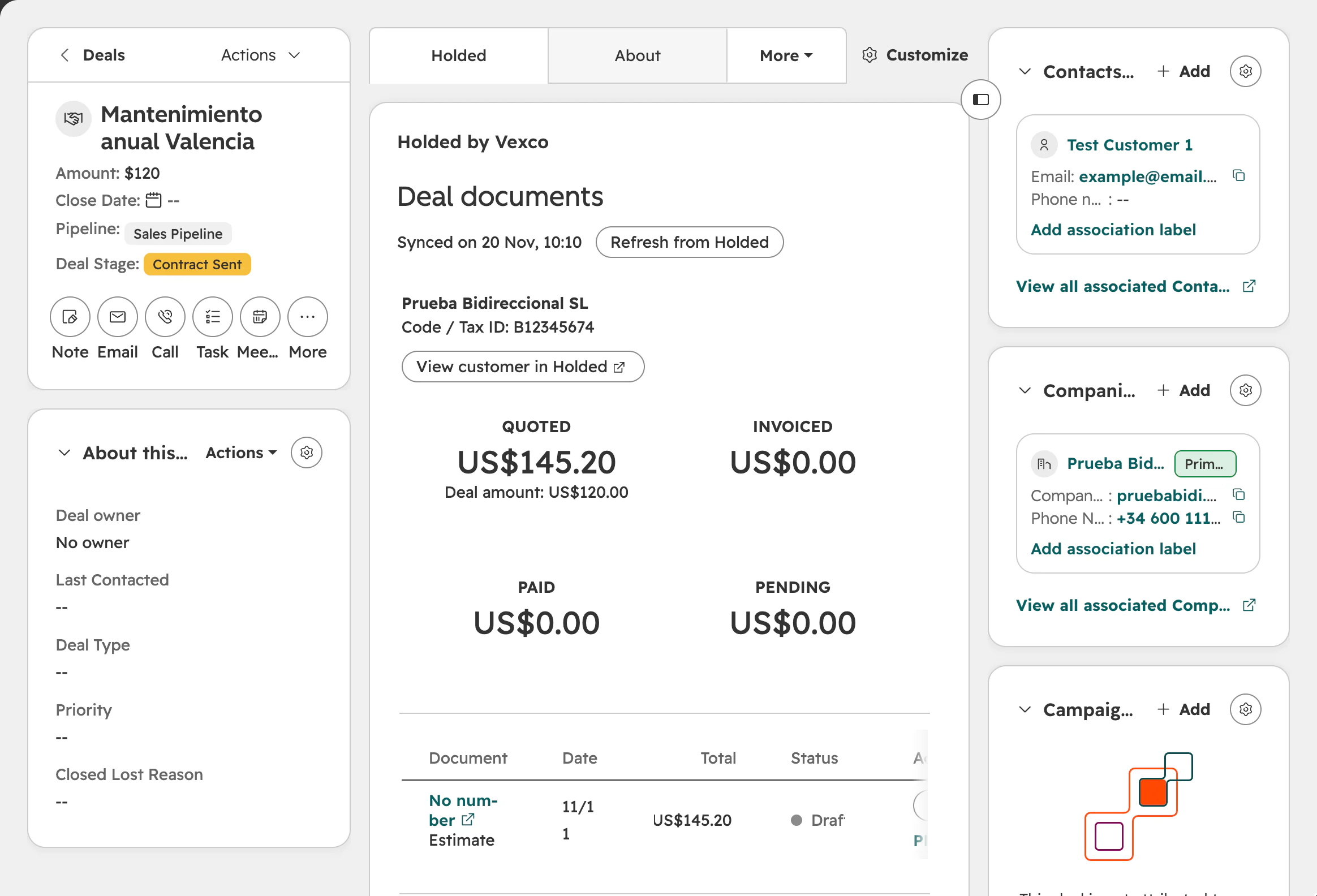
Cards for companies, contacts, products and deals. You decide which sections are shown, in which order and which actions are allowed.
- Company and contactBalance, overdue, monthly chart, latest documents, recurring invoices, purchases and files.
- DealQuoted, invoiced, paid and pending; documents and their actions; project and margin.
- ProductPrice, cost and margin, stock per warehouse, variants and recent sales.
- No quota spentSummaries come from data that is already synced.
Advanced automation
21 Holded actions for your workflows
Create, convert, issue and send documents; record payments; check balances and statuses; create or link contacts and products; leads, projects, tasks and time. Requires HubSpot Professional or Enterprise.
- Your real Holded listsSeries, treasury accounts, payment methods, funnels and warehouses in the dropdowns.
- Text with propertiesNotes, subjects and messages with {{dealname}} or {{company.name}}.
- Clear failuresIf something is missing, the action fails immediately and says why.
Holded CRM · Projects and time · Purchasing and suppliers
Holded CRM, projects and purchasing
Leads from Holded funnels with their stages, calendar events as meetings, projects with hours and cost on the deal, and suppliers with their purchase orders.
- Leads ↔ dealsWith the stage mapping you choose.
- Projects and marginProject created when the deal is won; hours, cost and margin come back.
- Suppliers and purchasesAmount left to pay and associated purchase orders.
Control
Activity log, status and alerts
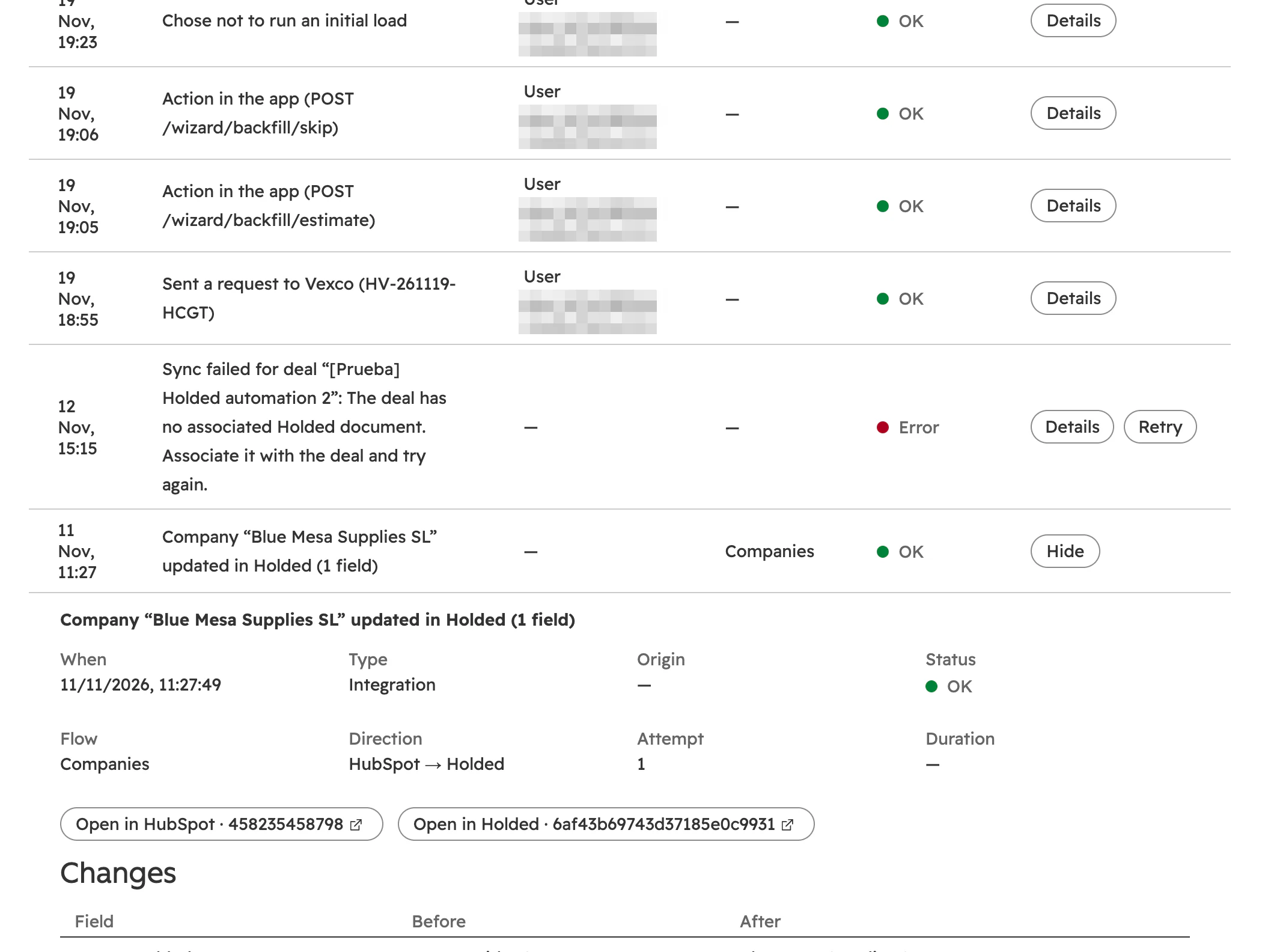
Every change with its before and after, who made it (a person, a workflow, a notification, the initial load) and why it failed if it did. Pause in one click, retry in one click.
- Activity logFilters, technical detail, action chain and CSV export.
- Status tabSync status, notices, queue, items in review, failed jobs and plan usage.
- Email alertsWhen an error needs someone's attention, plus a weekly digest.
- Admins onlySettings can only be changed by HubSpot super admins and the person who installed the app; everyone else sees them read-only.
Features
What syncs, and in which direction
Each row is a flow or group of flows you switch on separately. “Both” means each field can go in the direction you choose.
| HubSpot | Holded | Direction |
|---|---|---|
| Companies | Company contacts and suppliers | Both (suppliers: Holded → HubSpot) |
| Contacts | Individual contacts and contact persons | Both |
| Deals | Estimates, proformas, sales orders, waybills and invoices; leads; projects | Both |
| Deals (optional) | Documents made in Holded: estimates, proformas, invoices and waybills | Holded → HubSpot |
| Products | Products, services, variants and stock | Holded → HubSpot (created in Holded via workflow) |
| Invoices | Invoices, credit notes, sales receipts and payments | Holded → HubSpot (payments: both) |
| Orders | Sales orders, waybills and purchase orders | Holded → HubSpot |
| Meetings | CRM calendar events | Holded → HubSpot |
| Owners | Holded team members (by email) | Read-only mapping |
What it deliberately doesn't sync
Requesting only the permissions it actually uses is a HubSpot requirement and good privacy practice.
- Payroll, time clocking and internal accounting (ledger entries, chart of accounts, remittances, cash-flow forecasts): they aren't customer or sales data.
- Manufacturing and internal logistics (production orders, goods receipts): they have no equivalent in a CRM.
- Holded price lists: documents carry the prices on the deal's line items, which is what the rep actually sold.
- Issued invoices: they are never modified; to correct one, a credit note is created.
- The full IBAN: HubSpot only keeps the country and the last 4 digits; the Holded record on the card shows it masked.
Frequently asked questions
Frequently asked questions
Is the sync real-time?
Almost. Changes Holded and HubSpot report by webhook are copied within seconds; Holded leads, events and projects are checked every few minutes because Holded doesn't send notifications for them, and a full pass runs every night.
Can I sync in one direction only?
Yes. Every flow and every field has its own direction: both, Holded → HubSpot or HubSpot → Holded. You can also start the whole app in read-only mode (Holded → HubSpot only).
Does it work with several Holded companies?
Yes. You can connect several Holded companies to the same HubSpot account, each with its own series, accounts and defaults. Each additional company adds €12 a month.
Does it work with pipelines other than the default one?
Yes. In Settings → Documents you choose which stages of each pipeline create the document, or “any won stage” in any pipeline. Rules can also change the document type, series or treasury account by pipeline.
Can I bill the contact instead of the company?
Yes. The deal's “Bill to (Holded)” property decides whether the document goes to the primary company, the contact or, on automatic, the company and, if there isn't one, the contact. You can also set it in Settings → Documents or with a rule.
Do I need the HubSpot Invoices and Orders objects?
No, they are optional. If your account has them and you accept their optional permissions, invoices and orders appear as their own objects; if not, the data is stored on the deal.
Try it free
Holded and HubSpot, finally up to date
Install it from the HubSpot Marketplace, connect your Holded company and start in read-only mode. Nothing syncs until you switch it on.
14-day free trial with everything on · No card needed · Prices exclude VAT